When you enroll in this course, you'll also be enrolled in this Specialization.
Learn new concepts from industry experts
Gain a foundational understanding of a subject or tool
Develop job-relevant skills with hands-on projects
Earn a shareable career certificate
There are 4 modules in this course
By completing this course, learners will gain the skills necessary to create interactive 2D games in Unity, focusing on game mechanics, object handling, player control, and environmental design. They will learn to manage sprites, animate characters, implement game logic, and handle UI elements, allowing them to build fully functional games. The course covers essential topics such as sprite sheet management, chopper movement scripting, background scrolling, and integrating scoring systems, making it ideal for aspiring game developers.
Through hands-on lessons, learners will not only master the basics of Unity game development but also gain practical experience in game creation and debugging. They will be equipped with the knowledge to implement core features such as collision detection, game over conditions, and obstacle spawning, providing a solid foundation for more complex game development projects.
What makes this course unique is its focus on a structured, project-based approach, where learners build a fully operational chopper game, learning the core concepts step-by-step. This practical experience is invaluable for those looking to advance their game development career.
This module introduces learners to the fundamentals of building an interactive Gem Collector Game in Unity, focusing on environment setup, object interaction, animation, claw mechanics, and score management. Through practical implementation, learners gain hands-on experience in game design, raycasting, scripting, and logic development, setting a strong foundation for creating engaging 2D games.
What's included
13 videos4 assignments
Show info about module content
13 videos•Total 123 minutes
Understanding the gem collector game•10 minutes
Setting up the environment•12 minutes
Setting up the animations•8 minutes
Recasting•8 minutes
Creating the animation•9 minutes
Drag and drop the claw•10 minutes
Working on the claw•11 minutes
Working on the claw (continues)•9 minutes
Editing the line•9 minutes
Creating score manager•11 minutes
Scripting score manager•9 minutes
Editing score manager•7 minutes
Scripting the game•10 minutes
4 assignments•Total 60 minutes
Untitled•30 minutes
Game Setup and Environment•10 minutes
Animation and Claw Mechanics•10 minutes
Scoring and Game Logic•10 minutes
Breakout Game Basics
Module 2•2 hours to complete
Module details
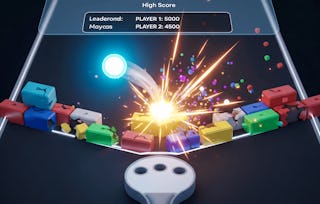
In this module learners will dive into creating a classic breakout game in Unity. This module covers fundamental game mechanics such as setting up the game environment, handling ball physics, and managing game objects like bricks and paddles. Learners will also explore game logic and enhance the player experience with particle effects. By the end of this module, learners will have a solid foundation in designing and programming a breakout game.
What's included
10 videos4 assignments
Show info about module content
10 videos•Total 73 minutes
Understanding the break out game•10 minutes
Setting up the game•8 minutes
Setting the environment•6 minutes
Ball script•6 minutes
Game Manager•7 minutes
Scripting the game manager•8 minutes
Completing Game Manager Class•7 minutes
Writing The Bricks Class•5 minutes
Creating Particles•8 minutes
Conclusion•8 minutes
4 assignments•Total 60 minutes
Breakout Game Basics•30 minutes
Setting Up Breakout•10 minutes
Game Manager and Bricks•10 minutes
Effects and Wrap Up•10 minutes
Unity Tools Development
Module 3•1 hour to complete
Module details
This module introduces learners to the importance and application of creating custom tools within Unity to streamline the game development process. This module explores how to create editor tools, manage assets, and organize the project structure efficiently. Learners will gain hands-on experience by building essential tools such as custom menus, UI elements, and folder structures, all designed to improve workflow, reduce redundancy, and enhance collaboration.
What's included
6 videos3 assignments
Show info about module content
6 videos•Total 35 minutes
Why create tools•3 minutes
Creating The Project•7 minutes
Creating Menu Items•9 minutes
Creating UI Elements•7 minutes
Creating The First Folder•4 minutes
Other Folders And Conclusion•5 minutes
3 assignments•Total 50 minutes
Untitled•30 minutes
Why and How to Create Tools•10 minutes
UI and Folder Structure•10 minutes
Chopper Game
Module 4•5 hours to complete
Module details
In this module learners will create an interactive and immersive 2D game where the player controls a chopper, avoiding obstacles and navigating through levels. This module covers essential game development concepts such as sprite management, object spawning, player movement, background scrolling, and implementing death conditions. By the end of this module, learners will be able to develop a fully functioning chopper-based game with smooth animations, real-time obstacle generation, and user interaction.
What's included
24 videos4 assignments
Show info about module content
24 videos•Total 195 minutes
Introduction to chopper•1 minute
Cutting the Sprite sheet•8 minutes
Cutting the Sprite sheet (Continues)•5 minutes
Setting the chopper environment•11 minutes
Checking the views•8 minutes
Background•8 minutes
Scrolling Background•11 minutes
Setting Up The Chopper Movement•12 minutes
Chopper Movement Continues•7 minutes
CameraTracking•6 minutes
Player Rigid Body And Physics•8 minutes
Fixing The Parallax Script•8 minutes
Fixing the Animations•7 minutes
Adding The Death Condition•9 minutes
Adding the Animation•8 minutes
Writing The Logic For Obstacle Spawning•7 minutes
Editing the spawning script•8 minutes
Creating the GUI•12 minutes
Writing the score logic•9 minutes
Scripting the score•10 minutes
Game over conditions•10 minutes
Texting the score•9 minutes
Create the game object•8 minutes
Wiring Up The UI With The Game•5 minutes
4 assignments•Total 60 minutes
Chopper Game•30 minutes
Environment and Sprites•10 minutes
Background and Movement•10 minutes
Game Logic and Scoring•10 minutes
Earn a career certificate
Add this credential to your LinkedIn profile, resume, or CV. Share it on social media and in your performance review.
Welcome to EDUCBA, a place where knowledge is limitless! We provide a wide selection of instructive and engaging programmes designed to empower students of all ages and experiences. From the convenience of your home, start a revolutionary educational experience with our cutting-edge technologies courses and experienced instructors.
When will I have access to the lectures and assignments?
To access the course materials, assignments and to earn a Certificate, you will need to purchase the Certificate experience when you enroll in a course. You can try a Free Trial instead, or apply for Financial Aid. The course may offer 'Full Course, No Certificate' instead. This option lets you see all course materials, submit required assessments, and get a final grade. This also means that you will not be able to purchase a Certificate experience.
What will I get if I subscribe to this Specialization?
When you enroll in the course, you get access to all of the courses in the Specialization, and you earn a certificate when you complete the work. Your electronic Certificate will be added to your Accomplishments page - from there, you can print your Certificate or add it to your LinkedIn profile.
Is financial aid available?
Yes. In select learning programs, you can apply for financial aid or a scholarship if you can’t afford the enrollment fee. If fin aid or scholarship is available for your learning program selection, you’ll find a link to apply on the description page.