KB
A great course for anyone looking to improve their After Effects skills. The lessons are easy to follow and packed with useful insights.

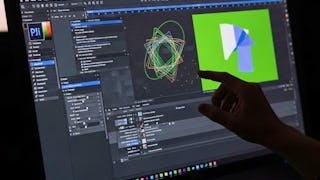
This Specialization equips learners with professional, industry-ready skills in motion graphics, compositing, and keying using Adobe After Effects. Through hands-on lessons, learners master green-screen removal, advanced rotoscoping, shape and text animation, and modern motion design workflows used in real production environments. By completing practical projects and guided exercises, learners gain the confidence to produce polished visual content for branding, media, and digital storytelling.

KB
A great course for anyone looking to improve their After Effects skills. The lessons are easy to follow and packed with useful insights.
JL
The real-world projects helped solidify my understanding of secondary motion and weight. It’s an essential tool for any modern animator.
VN
Perfect course to build a strong foundation in After Effects.
ST
This completely bridged the gap between basic keyframing and premium, high-end motion design. The pacing formulas taught here are an absolute secret weapon for any aspiring animator.
AR
I enjoyed learning different animation techniques through hands-on examples. The course made creating professional-looking motion graphics much more approachable.
EV
The deep dive into the Graph Editor alone is worth the price. My animations went from stiff and robotic to incredibly smooth and organic in just a few days.
PP
The course curriculum was well-designed and easy to follow. It helped me understand both theoretical and practical aspects effectively.
RY
I was stuck in an animation rut, but this course sparked my creativity again. The breakdown of organic motion mechanics opened my eyes. Truly a masterclass in dynamic design.
SB
The learning journey felt smooth, practical, and genuinely useful.
SJ
Finally, a course that treats After Effects like an art form rather than just software. The lessons on rhythm and pacing completely changed how I approach commercial client briefs.
AS
The course explains key tools like Trim Paths and Easy Ease very well, which helped me create smooth and professional animations.
JB
Perfect for intermediate artists looking to level up. The breakdown of professional workflows helped me cut my project delivery time in half while doubling visual quality.
Showing: 12 of 12
This course was exactly what I needed to improve my green screen editing skills in Adobe After Effects. The step-by-step demonstrations made it easy to understand how keying actually works in real production scenarios. I especially liked the section on using Keylight and refining edges, which helped me get much cleaner results. The lessons are short but very practical. After completing the course, I feel much more confident compositing footage and integrating new backgrounds into my projects.
I’ve used After Effects before, but keying was always a bit confusing for me. This course simplified the entire process. The instructor explains color keying, luma keying, and spill suppression in a very clear way. The practical examples using real footage made a big difference in understanding how professionals work with green screen material. By the end of the course, I was able to produce much cleaner composites than before.
A great course for anyone interested in compositing and visual effects. The structure is very well designed, starting with basic keying methods and then moving into more advanced workflows using Keylight. I particularly appreciated the explanations on managing spill and improving edge details. These small adjustments make a huge difference in the final result. Overall, a very practical and informative learning experience.
I really enjoyed this course because it focuses on practical skills. The instructor explains how to remove backgrounds, refine edges, and create seamless composites step by step. The part about analyzing luminance workflows was particularly interesting. It helped me understand why certain keying methods work better for different types of footage. A very useful course for anyone working in video editing or VFX.
This course is perfect for beginners who want to learn green screen compositing in After Effects. The lessons start with basic concepts and gradually introduce more advanced tools like Keylight and advanced spill suppression. The examples are easy to follow and demonstrate how to fix common issues like uneven lighting and color spill. I learned several techniques that I now use regularly in my editing work.
This course helped me understand how professional editors handle green screen footage. Before taking it, I struggled with spill and rough edges around subjects. The lessons on spill suppression and edge refinement were extremely useful. I also liked the way the instructor explains the logic behind each adjustment rather than just showing which buttons to click. Definitely a valuable course for video editors.
As someone learning motion graphics, this course was very helpful. The instructor breaks down complex keying techniques into easy steps that are simple to follow. The workflow using Keylight was explained really well, and I finally understand how to achieve clean composites. The quizzes and demonstrations helped reinforce what I learned. Overall, a well-structured course with practical value.
What I liked most about this course is that it focuses on real-world workflows rather than just theory. The demonstrations clearly show how to remove green screens, clean up edges, and integrate backgrounds naturally. The lessons on advanced matte controls were especially helpful. Even though the course only has two modules, it covers the key techniques needed for professional compositing.
The course provides a clear and practical introduction to keying techniques in After Effects. I appreciated how it explains both color keying and luminance-based methods. The demonstrations are easy to follow and show exactly how to improve matte quality and remove spill. The lessons are concise but cover the most important concepts needed for professional compositing.
A very helpful course for learning how to work with green screen footage. The explanations are clear and supported by practical demonstrations. I especially liked learning how to refine edges and improve matte quality using advanced controls. These small adjustments made my composites look much more professional. The course is well organized and easy to complete.
This course gave me a better understanding of how keying works in After Effects. The instructor explains the tools and settings in a way that makes them easy to understand. The section on Keylight workflows was particularly valuable because it shows how professionals approach compositing tasks. A great course for anyone wanting to improve their editing skills.
I’ve taken a few After Effects courses before, but this one focuses specifically on keying workflows, which I found very useful. The explanation of luminance-based keying and advanced matte adjustments was clear and practical. The lessons helped me improve the quality of my compositing projects. It’s a short course but packed with valuable information.