When you enroll in this course, you'll also be enrolled in this Specialization.
Learn new concepts from industry experts
Gain a foundational understanding of a subject or tool
Develop job-relevant skills with hands-on projects
Earn a shareable career certificate
There are 5 modules in this course
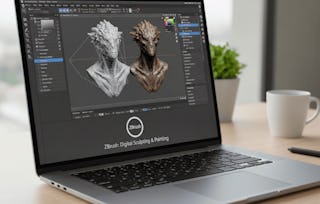
By the end of this course, learners will be able to apply DynaMesh for dynamic sculpting, design realistic Fibermesh hair and fibers, utilize advanced masking and curve techniques, manage files and GoZ integration, and customize brushes for professional sculpting workflows.
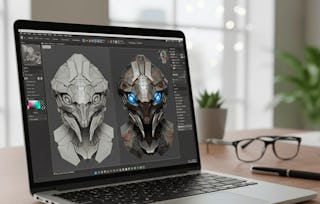
This course takes a hands-on approach to mastering ZBrush, starting with foundational tools such as DynaMesh, LightCap, and BPR rendering, then advancing into masking, displacement mapping, and curve-driven mesh insertions. Learners will gain practical skills in saving, exporting, and integrating projects across platforms, while also exploring brush customization, mesh normalization, and Move Elasticity for complex workflows.
Unlike traditional tutorials, this course focuses on practical, project-ready techniques. Each module is structured to gradually build confidence, from sculpting basics to advanced mesh editing. By the end, learners will have the technical skills and creative flexibility to produce high-quality digital sculpts with precision and artistry.
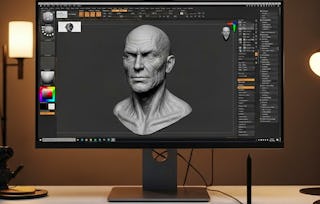
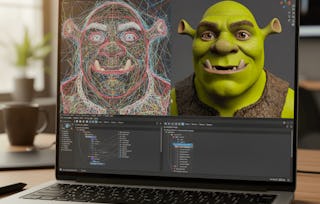
This module introduces learners to the fundamentals of ZBrush, focusing on DynaMesh for dynamic sculpting, brush intensity adjustments, and rendering basics. Learners will explore LightCap, BPR rendering, and the use of Fibermesh to create realistic fiber effects.
What's included
10 videos4 assignments
Show info about module content
10 videos•Total 81 minutes
Zbrush Dynamesh•8 minutes
Setting Intensity of Brushes•8 minutes
Polygon Subdivision Lightcap Metcap•8 minutes
Lightcap Matcap Setting•8 minutes
Image Setting Filter Apply Setting•9 minutes
Color bpr Setting Subdivision Rendering•8 minutes
Fibermesh & Settings•8 minutes
Fibermesh & Surface Area Morph•8 minutes
Fibermesh Micromesh•8 minutes
Fibermesh Masking•8 minutes
4 assignments•Total 60 minutes
Introduction to DynaMesh & Brushes•10 minutes
LightCap and Rendering Basics•10 minutes
Fibermesh Applications•10 minutes
Graded-Foundations of ZBrush and DynaMesh•30 minutes
Advanced Masking, Mapping & Curves
Module 2•2 hours to complete
Module details
This module explores advanced surface control techniques such as masking, displacement maps, and procedural noise. Learners will also master curve stroke methods, mesh insertions, and initialization for precise model editing.
This module covers essential workflows for saving, exporting, and managing projects in ZBrush. Learners will work with file formats, GoZ integration, and document settings to optimize their sculpting pipeline.
This module provides an in-depth look at ZBrush menus, Lightbox resources, and brush applications. Learners will explore shelf customization, brush presets, and advanced workflows for extending creative sculpting techniques.
What's included
9 videos4 assignments
Show info about module content
9 videos•Total 86 minutes
Preview Menu•11 minutes
Color Menu•9 minutes
Lightbox Brushes•9 minutes
Left Shelf Brushes•10 minutes
Brush Application•12 minutes
Actual brushes application continued with new brushes•11 minutes
Description of Brushes Application•9 minutes
More on Brushes Application•9 minutes
New Brush Applications•8 minutes
4 assignments•Total 60 minutes
Preview, Color & Lightbox•10 minutes
Shelf and Brush Applications•10 minutes
Expanding Brush Techniques•10 minutes
Graded-Menus, Brushes & Palettes•30 minutes
Advanced Brush Customization & Mesh Editing
Module 5•3 hours to complete
Module details
This module focuses on advanced sculpting and mesh editing techniques, including custom brush creation, mesh insertion, Move Elasticity, and normalization. Learners will refine their ability to create complex and highly detailed models.
What's included
8 videos4 assignments
Show info about module content
8 videos•Total 78 minutes
New Brush Preset•9 minutes
New Brush Instance•10 minutes
Steam Brush Application•8 minutes
New Insertion•11 minutes
Description of New Brushes•10 minutes
Move Elasticity•10 minutes
Description of Normalization of Mesh & Brush Section•11 minutes
Welcome to EDUCBA, a place where knowledge is limitless! We provide a wide selection of instructive and engaging programmes designed to empower students of all ages and experiences. From the convenience of your home, start a revolutionary educational experience with our cutting-edge technologies courses and experienced instructors.
When will I have access to the lectures and assignments?
To access the course materials, assignments and to earn a Certificate, you will need to purchase the Certificate experience when you enroll in a course. You can try a Free Trial instead, or apply for Financial Aid. The course may offer 'Full Course, No Certificate' instead. This option lets you see all course materials, submit required assessments, and get a final grade. This also means that you will not be able to purchase a Certificate experience.
What will I get if I subscribe to this Specialization?
When you enroll in the course, you get access to all of the courses in the Specialization, and you earn a certificate when you complete the work. Your electronic Certificate will be added to your Accomplishments page - from there, you can print your Certificate or add it to your LinkedIn profile.
Is financial aid available?
Yes. In select learning programs, you can apply for financial aid or a scholarship if you can’t afford the enrollment fee. If fin aid or scholarship is available for your learning program selection, you’ll find a link to apply on the description page.