When you enroll in this course, you'll also be enrolled in this Specialization.
Learn new concepts from industry experts
Gain a foundational understanding of a subject or tool
Develop job-relevant skills with hands-on projects
Earn a shareable career certificate
There are 3 modules in this course
Welcome to SOLIDWORKS Revolution and Cut Features, the third course in the SOLIDWORKS 3D CAD for Education Specialization. To get the most out of this course, you should first complete the previous two courses in the series.
This course focuses on feature refinement and advanced geometry creation using cuts and revolved features.
Upon completion of this learning module, you will be able to:
- Create extruded cuts
- Apply fillets/chamfers
- Create revolve boss
- Apply revolve cut
This course is ideal for learners who want to explore new tools for creating axisymmetric objects and refining their designs.
Software Prerequisites:
SOLIDWORKS Desktop EDU
Access powerful capabilities for Engineering with SOLIDWORKS Desktop at a low price, $60 (excluding taxes), follow this link : https://go.3ds.com/CSW1
In this module, you’ll get an overview of the course structure and what to expect as you progress.
What's included
1 video1 reading1 discussion prompt
Show info about module content
1 video•Total 1 minute
SOLIDWORKS Revolution and Cut Features Course Introduction•1 minute
1 reading•Total 10 minutes
Welome to SOLIDWORKS Revolution and Cut Features Course!•10 minutes
1 discussion prompt•Total 10 minutes
Share your thoughts•10 minutes
Practice Extrude Cut and Fillet/Chamfer (Level 5)
Module 2•4 hours to complete
Module details
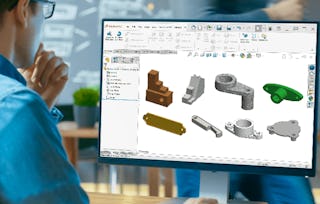
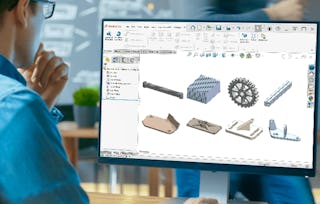
In this module, you'll learn creating 3D objects from 2D drawings in SOLIDWORKS, including the use of extruded cuts, fillets, and chamfers for model refinement.
What's included
1 assignment5 plugins
Show info about module content
1 assignment•Total 10 minutes
Quiz: Practice Extrude Cut and Fillet/Chamfer•10 minutes
5 plugins•Total 255 minutes
Introduction to Practice Extrude Cut and Fillet/Chamfer (Level 5) •15 minutes
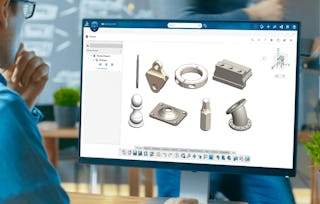
Create a Screw Driver Shaft (Level 5.1)•60 minutes
Create a Pulley Housing (Level 5.2)•60 minutes
Create a Clamping Collar (Level 5.3)•60 minutes
Create a Lathe Cutting Tool Parting Block (Level 5.4)•60 minutes
Practice Revolve Boss/Cut (Level 6)
Module 3•4 hours to complete
Module details
This module covers creating 3D objects from 2D drawings in SOLIDWORKS, focusing on the revolve boss and revolve cut features.
What's included
1 assignment5 plugins
Show info about module content
1 assignment•Total 10 minutes
Quiz: Practice Revolve Boss/Cut•10 minutes
5 plugins•Total 255 minutes
Introduction to Practice Revolve Boss/Cut (Level 6)•15 minutes
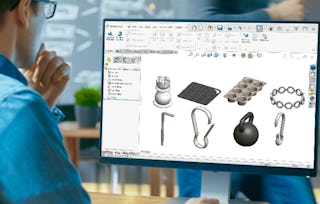
Create a Chess Pawn (Level 6.1)•60 minutes
Create a Caster Base (Level 6.2)•60 minutes
Create a Hex Bit (Level 6.3)•60 minutes
Create a Pipe Flange (Level 6.4)•60 minutes
Earn a career certificate
Add this credential to your LinkedIn profile, resume, or CV. Share it on social media and in your performance review.
Dassault Systèmes helps improve real life with virtual worlds.
Through our science-based solutions, CATIA, SOLIDWORKS, DELMIA, SIMULIA, we provide our customers not just with products but with services and content that focus on improving end-user experience. We designed our 3DEXPERIENCE platform as a collaborative environment that empowers people and businesses to innovate in entirely new ways.
"To be able to take courses at my own pace and rhythm has been an amazing experience. I can learn whenever it fits my schedule and mood."
Jennifer J.
Learner since 2020
"I directly applied the concepts and skills I learned from my courses to an exciting new project at work."
Larry W.
Learner since 2021
"When I need courses on topics that my university doesn't offer, Coursera is one of the best places to go."
Chaitanya A.
"Learning isn't just about being better at your job: it's so much more than that. Coursera allows me to learn without limits."
Learner reviews
5.0
26 reviews
5 stars
100%
4 stars
0%
3 stars
0%
2 stars
0%
1 star
0%
Showing 3 of 26
D
DC
5·
Reviewed on Nov 19, 2025
Thank You very much, I enjoyed the simple and in depth walkthrough for every possible features and operations which are required to have a decent knowledge for this software.

When will I have access to the lectures and assignments?
To access the course materials, assignments and to earn a Certificate, you will need to purchase the Certificate experience when you enroll in a course. You can try a Free Trial instead, or apply for Financial Aid. The course may offer 'Full Course, No Certificate' instead. This option lets you see all course materials, submit required assessments, and get a final grade. This also means that you will not be able to purchase a Certificate experience.
What will I get if I subscribe to this Specialization?
When you enroll in the course, you get access to all of the courses in the Specialization, and you earn a certificate when you complete the work. Your electronic Certificate will be added to your Accomplishments page - from there, you can print your Certificate or add it to your LinkedIn profile.
Is financial aid available?
Yes. In select learning programs, you can apply for financial aid or a scholarship if you can’t afford the enrollment fee. If fin aid or scholarship is available for your learning program selection, you’ll find a link to apply on the description page.