When you enroll in this course, you'll also be enrolled in this Specialization.
Learn new concepts from industry experts
Gain a foundational understanding of a subject or tool
Develop job-relevant skills with hands-on projects
Earn a shareable career certificate
There are 3 modules in this course
Unlock your creative potential by learning to communicate fluently with generative AI tools like Adobe Firefly. This course helps you develop “prompting for generative AI”, the art of crafting clear, expressive instructions that guide AI to produce high-quality, visually compelling results.
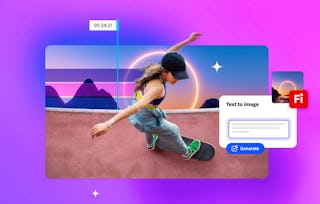
Through hands-on exercises, you’ll experiment with text-to-image generation, refine your prompts for clarity and style, and analyze real-world examples to understand how wording shapes output. Along the way, you’ll strengthen your creative direction, storytelling, and visual communication skills. Whether you’re designing for clients or pursuing personal projects, you’ll learn to collaborate with AI confidently and purposefully, using prompts as your new creative medium.
Unlock the power of words to create stunning visuals! Learn how to structure prompts for images in Adobe Firefly, use creative controls for style and mood, and avoid common pitfalls. Get hands-on with demos that show how a well-crafted prompt leads to high-quality, brand-aligned images.
What's included
5 videos4 readings1 assignment
Show info about module content
5 videos•Total 21 minutes
Introduction to generative AI prompts•3 minutes
Structuring Text to Image prompts•6 minutes
Going further with additional image prompting techniques•5 minutes
Using creative controls to guide generative AI work•5 minutes
Generative credits overview•3 minutes
4 readings•Total 40 minutes
Course Outline•10 minutes
Practice building an image prompt•10 minutes
Learning Paths and Certifications•10 minutes
Join the Adobe Community•10 minutes
1 assignment•Total 5 minutes
Knowledge check•5 minutes
Prompting for Video
Module 2•1 hour to complete
Module details
Bring your stories to life with dynamic video prompts! Discover how to describe motion, mood, and setting for generative video, choose between Text-to-Video and Image-to-Video, and refine your clips in Premiere Pro for professional results.
What's included
5 videos1 reading1 assignment
Show info about module content
5 videos•Total 22 minutes
Structuring video prompts for Adobe Firefly•5 minutes
Choosing a starting point for AI videos•3 minutes
Create engaging B-roll footage from text prompts•3 minutes
Create cinematic video from prompts and keyframes•4 minutes
Generate sound effects using AI•7 minutes
1 reading•Total 10 minutes
Practice generating videos using images•10 minutes
1 assignment•Total 5 minutes
Knowledge check•5 minutes
Prompting for Vectors
Module 3•1 hour to complete
Module details
Design scalable, editable graphics with precision! Master the art of prompting for icons, illustrations, and branding elements, use style references for consistency, and refine your vectors in Illustrator for any platform.
What's included
3 videos4 readings1 assignment
Show info about module content
3 videos•Total 9 minutes
Introducing Text to Vector•4 minutes
Getting started with Text to Vector•4 minutes
Conclusion•1 minute
4 readings•Total 40 minutes
Practice using the Text to Vector feature•10 minutes
Tutorial: Generate artwork with Text to Vector Graphic•10 minutes
Showcase your creativity with Behance•10 minutes
You did it — now share the love•10 minutes
1 assignment•Total 5 minutes
Knowledge check•5 minutes
Earn a career certificate
Add this credential to your LinkedIn profile, resume, or CV. Share it on social media and in your performance review.
Adobe empowers everyone, everywhere to imagine, create and bring any digital experience to life. Through the Adobe Digital Academy, Adobe aims to equip learners and teachers with AI literacy, content creation and digital marketing skills to help people thrive in the modern workforce. This global initiative builds on Adobe’s commitment to empower learners of all backgrounds to succeed in today’s job market and unleash creativity for all.
When will I have access to the lectures and assignments?
To access the course materials, assignments and to earn a Certificate, you will need to purchase the Certificate experience when you enroll in a course. You can try a Free Trial instead, or apply for Financial Aid. The course may offer 'Full Course, No Certificate' instead. This option lets you see all course materials, submit required assessments, and get a final grade. This also means that you will not be able to purchase a Certificate experience.
What will I get if I subscribe to this Specialization?
When you enroll in the course, you get access to all of the courses in the Specialization, and you earn a certificate when you complete the work. Your electronic Certificate will be added to your Accomplishments page - from there, you can print your Certificate or add it to your LinkedIn profile.
Is financial aid available?
Yes. In select learning programs, you can apply for financial aid or a scholarship if you can’t afford the enrollment fee. If fin aid or scholarship is available for your learning program selection, you’ll find a link to apply on the description page.