When you enroll in this course, you'll also be enrolled in this Specialization.
Learn new concepts from industry experts
Gain a foundational understanding of a subject or tool
Develop job-relevant skills with hands-on projects
Earn a shareable career certificate
There are 6 modules in this course
By completing this course, learners will design interactive 2D games, apply 3D rendering techniques, implement collision logic, and integrate advanced gameplay mechanics like scoring, lives, and levels using the MonoGame framework.
This course equips learners with the essential skills to create, optimize, and deploy engaging games from scratch. Starting with installation and setup, participants will master the MonoGame Pipeline Tool, explore 2D and 3D graphics, and build a fully functional Brick Breaker game. Each module progressively develops skills in object movement, sprite batching, collision detection, texture application, and vector-based transformations.
What makes this course unique is its hands-on, project-based approach. Instead of isolated theory, learners will continuously build real game features—progressing from simple ball movement to complex multi-level designs with dynamic blocks. By the end, participants will not only understand MonoGame’s workflow but also have a polished portfolio-ready game to showcase their abilities.
Whether you’re a beginner to game development or looking to expand your skills with C# and MonoGame, this course will empower you to create, innovate, and publish interactive games confidently.
This module introduces the MonoGame framework, installation, setup, and project creation. Learners will explore how to add content, initialize game logic, and handle multiple game objects to build a solid foundation for game development.
What's included
11 videos4 assignments
Show info about module content
11 videos•Total 112 minutes
Introduction to Monogamic•10 minutes
Installation•11 minutes
Setup•11 minutes
Create Project•10 minutes
Add Content•10 minutes
Ball Position•11 minutes
Protect Override Void Initialize•14 minutes
Game Time•7 minutes
Add two Ball•12 minutes
Ball Position Moving•7 minutes
Ball Position Moving Continue•8 minutes
4 assignments•Total 60 minutes
Setup and Installation•10 minutes
Adding Content and Basics•10 minutes
Multiple Objects and Movement•10 minutes
Graded - Getting Started with MonoGame•30 minutes
Tools and 2D Graphics
Module 2•3 hours to complete
Module details
This module focuses on the MonoGame Pipeline Tool and the fundamentals of 2D graphics. Learners will gain hands-on experience with sprite rendering, batching, positioning, and creating smooth 2D animations.
What's included
9 videos4 assignments
Show info about module content
9 videos•Total 94 minutes
Monogamy Pipeline Tool•10 minutes
Pipeline Tool•11 minutes
Pipeline Tool Continue•12 minutes
Intro to 2D Graphics•11 minutes
Sprite Batch•10 minutes
Sprite Batch Continue•7 minutes
Add the Location and Source•12 minutes
Float•9 minutes
2D Graphics Review•12 minutes
4 assignments•Total 60 minutes
Working with Pipeline Tools•10 minutes
2D Graphics Foundations•10 minutes
Applying 2D Techniques•10 minutes
Graded - Tools and 2D Graphics•30 minutes
Exploring 3D Graphics
Module 3•3 hours to complete
Module details
This module introduces 3D graphics in MonoGame, covering model loading, rendering, transformations, and animation. Learners will develop skills in applying perspective, textures, and advanced 3D effects.
What's included
10 videos4 assignments
Show info about module content
10 videos•Total 102 minutes
3D Graphics Introduction•12 minutes
Load 3D Model•11 minutes
Generate 3D Programme•10 minutes
Render 3D Output•9 minutes
Add 3D Animation•12 minutes
Add Angle to Roasted•7 minutes
Add Texture Effect•7 minutes
Monogamy Showcase•11 minutes
Monogamy Showcase Continue•12 minutes
Monogamy Sample•12 minutes
4 assignments•Total 60 minutes
Introduction to 3D Development•10 minutes
Rendering and Animations•10 minutes
Advanced Visual Effects•10 minutes
Graded - Exploring 3D Graphics•30 minutes
Brick Breaker Game Development
Module 4•3 hours to complete
Module details
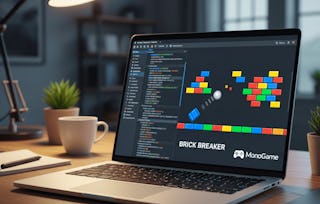
This module focuses on building the Brick Breaker game step by step. Learners will implement paddle mechanics, ball control, and collision detection to establish the core gameplay loop.
What's included
11 videos4 assignments
Show info about module content
11 videos•Total 109 minutes
Brick Breaker Game•10 minutes
Brick Breaker Game Continue•10 minutes
More on Brick Breaker Game•10 minutes
Adding Movement to Paddle•7 minutes
Adding Movement to Paddle Continue•10 minutes
Adding Ball•11 minutes
Adding Ball Continue•12 minutes
Ball Bouncing of Wall•12 minutes
More on Ball Bouncing of Wall•12 minutes
Paddle Collision•8 minutes
Paddle Collision Continue•7 minutes
4 assignments•Total 60 minutes
Game Foundations•10 minutes
Paddle and Ball Control•10 minutes
Collision Handling Basics•10 minutes
Graded - Brick Breaker Game Development•30 minutes
Enhancing Gameplay Mechanics
Module 5•4 hours to complete
Module details
This module enhances gameplay by adding scoring, lives, and multi-level progression. Learners will develop features that improve challenge, motivation, and player engagement.
What's included
22 videos4 assignments
Show info about module content
22 videos•Total 184 minutes
Brick Breaker – Paddle Setup Review Part 1•9 minutes
Brick Breaker – Adding Blocks with Loop Part 1•6 minutes
Brick Breaker – Adding Blocks with Loop Part 2•8 minutes
Brick Breaker – Brick Block Implementation Part 1•7 minutes
Brick Breaker – Brick Block Implementation Part 2•7 minutes
Brick Breaker – Block Collision Logic Part 1•7 minutes
Brick Breaker – Block Collision Logic Part 2•9 minutes
Add Score – Initial Score Setup•9 minutes
Add Score – Drawing Score with SpriteBatch Part 1•7 minutes
Add Score – Drawing Score with SpriteBatch Part 2•7 minutes
Add Score – Reset on Game Over•12 minutes
Add Lives Part 1•11 minutes
Add Lives Part 2•5 minutes
Power up Lives Part 1•16 minutes
Power up Lives Part 2•7 minutes
Add Level Part 1•7 minutes
Add Level Part 2•8 minutes
Add Level Part 3•8 minutes
Block Count Part 1•8 minutes
Block Count Part 2•11 minutes
Show Welcome to Level 2 Message Part 1•9 minutes
Show Welcome to Level 2 Message Part 2•6 minutes
4 assignments•Total 60 minutes
Structuring the Game•10 minutes
Adding Scoring System•10 minutes
Managing Lives and Levels•10 minutes
Graded - Enhancing Gameplay Mechanics•30 minutes
Advanced Level Design and Blocks
Module 6•5 hours to complete
Module details
This module covers advanced game levels with unique yellow and blue blocks. Learners will implement complex collision handling, texture corrections, timed events, and final adjustments for a polished game.
Welcome to EDUCBA, a place where knowledge is limitless! We provide a wide selection of instructive and engaging programmes designed to empower students of all ages and experiences. From the convenience of your home, start a revolutionary educational experience with our cutting-edge technologies courses and experienced instructors.
When will I have access to the lectures and assignments?
To access the course materials, assignments and to earn a Certificate, you will need to purchase the Certificate experience when you enroll in a course. You can try a Free Trial instead, or apply for Financial Aid. The course may offer 'Full Course, No Certificate' instead. This option lets you see all course materials, submit required assessments, and get a final grade. This also means that you will not be able to purchase a Certificate experience.
What will I get if I subscribe to this Specialization?
When you enroll in the course, you get access to all of the courses in the Specialization, and you earn a certificate when you complete the work. Your electronic Certificate will be added to your Accomplishments page - from there, you can print your Certificate or add it to your LinkedIn profile.
Is financial aid available?
Yes. In select learning programs, you can apply for financial aid or a scholarship if you can’t afford the enrollment fee. If fin aid or scholarship is available for your learning program selection, you’ll find a link to apply on the description page.