When you enroll in this course, you'll also be enrolled in this Specialization.
Learn new concepts from industry experts
Gain a foundational understanding of a subject or tool
Develop job-relevant skills with hands-on projects
Earn a shareable career certificate
There are 4 modules in this course
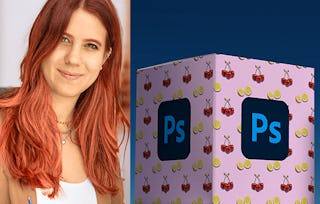
If you’ve ever wanted to bring your branding, packaging, or product design ideas to life, this course, taught by Kate Silver, is for you! In this intermediate Photoshop class, we’ll explore advanced mockup creation and layout techniques using smart objects, warping tools, and vanishing point grids. You’ll complete real projects like book covers, t-shirt designs, and interior design mockups while building a versatile creative toolkit.
By the end of this course, you’ll be able to:
* Design realistic product mockups using smart objects and warping tools
* Apply patterns to packaging, labels, and fabric mockups with precision
* Use perspective and vanishing point tools to create professional layout presentations
You’ll need a working knowledge of Adobe Photoshop CC before starting. With guided practice, plenty of shortcuts, and step-by-step builds, you’ll gain confidence creating visuals that look sharp, polished, and portfolio-ready. Join me, Kate Silver and let’s turn your ideas into mockups that sell.
Instructor bio:
Kate Silver is a graphic and shoe designer, Top Teacher on Skillshare, and instructor at the UK’s leading Adobe training center in London. She creates beginner and advanced courses on design software including Adobe Photoshop, Illustrator, InDesign, Canva, and more.
With experience designing for brands like Jimmy Choo and Sophia Webster, Kate brings hands-on expertise to her classes, making complex tools simple and accessible. Her lessons focus on clarity, practical projects, and smart shortcuts to help students build real skills with confidence.
Start your mockup journey by mastering book and brand design presentations. You'll use warp tools, edit page contents, and explore multiple layout variations to bring your portfolio and client materials to life.
What's included
6 videos2 readings1 assignment1 discussion prompt
Show info about module content
6 videos•Total 25 minutes
Brand Mockups & Patterns•1 minute
Book Mockup: The Warp Tool•5 minutes
Book Mockup: Edit Page Contents•4 minutes
Another Book Mockup•5 minutes
Book Mockup with 2 Pages•7 minutes
Book Mockup: Multiple Designs•4 minutes
2 readings•Total 60 minutes
Intro Reading•30 minutes
Project Instructions•30 minutes
1 assignment•Total 30 minutes
Module 1 Quiz•30 minutes
1 discussion prompt•Total 10 minutes
New Discussion Prompt•10 minutes
Label Design & Pattern Applications
Module 2•1 hour to complete
Module details
This module dives into professional packaging and label mockups. You'll learn how to warp labels around complex surfaces, build your own seamless patterns, and finalize mockups using effects like blur and drop shadows.
What's included
6 videos1 assignment1 discussion prompt
Show info about module content
6 videos•Total 26 minutes
Labels Mockup: The Perspective Warp•3 minutes
Perspective Warp & Layer Mask•5 minutes
Labels Mockups: Cylinder Warp•5 minutes
Labels Mockups: Adding Blur Filters•4 minutes
Create a Seamless Pattern•5 minutes
Adding Drop Shadow Effects•4 minutes
1 assignment•Total 30 minutes
Module 2 Quiz•30 minutes
1 discussion prompt•Total 10 minutes
New Discussion Prompt•10 minutes
Apparel Mockups & Perspective Mastery
Module 3•1 hour to complete
Module details
Take your mockup skills further by designing wearable and 3D products. Learn to position graphics accurately using the Vanishing Point tool and apply patterns to apparel and interior layouts for dynamic, spatially accurate results.
What's included
6 videos1 assignment1 discussion prompt
Show info about module content
6 videos•Total 27 minutes
Mockup: Apply Patterns to T-shirt•8 minutes
Patterns on Boxes: Cylinder Warp•4 minutes
The Vanishing Point•6 minutes
Adding Labels to Vanishing Point•4 minutes
Interior Design with Vanishing Point•1 minute
Interior Design: The Vanishing Point•5 minutes
1 assignment•Total 30 minutes
Module 3 Quiz•30 minutes
1 discussion prompt•Total 10 minutes
New Discussion Prompt•10 minutes
Interior Styling & AI-Enhanced Mockups
Module 4•2 hours to complete
Module details
In the final module, you'll bring it all together by designing full interior scenes. From adding décor and furniture to experimenting with AI-driven layouts, you'll build high-end mockups ready for portfolios, pitches, or client presentations.
Skillshare is an online learning community where you can take classes from real working creatives. Unlock personal and professional growth, build your skills, make connections, and find your happy place.
When will I have access to the lectures and assignments?
To access the course materials, assignments and to earn a Certificate, you will need to purchase the Certificate experience when you enroll in a course. You can try a Free Trial instead, or apply for Financial Aid. The course may offer 'Full Course, No Certificate' instead. This option lets you see all course materials, submit required assessments, and get a final grade. This also means that you will not be able to purchase a Certificate experience.
What will I get if I subscribe to this Specialization?
When you enroll in the course, you get access to all of the courses in the Specialization, and you earn a certificate when you complete the work. Your electronic Certificate will be added to your Accomplishments page - from there, you can print your Certificate or add it to your LinkedIn profile.
Is financial aid available?
Yes. In select learning programs, you can apply for financial aid or a scholarship if you can’t afford the enrollment fee. If fin aid or scholarship is available for your learning program selection, you’ll find a link to apply on the description page.