When you enroll in this course, you'll also be enrolled in this Specialization.
Learn new concepts from industry experts
Gain a foundational understanding of a subject or tool
Develop job-relevant skills with hands-on projects
Earn a shareable career certificate
There are 5 modules in this course
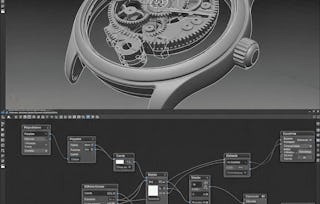
By the end of this course, learners will be able to design, refine, and animate complex procedural models in Houdini using advanced Boolean operations, VEX scripting, VOP networks, attribute transfers, and looping systems. Students will also build mechanical assemblies such as gears, chains, and screws while applying trigonometric functions to generate dynamic spiral and floral patterns.
This course equips learners with the skills to model efficiently, optimize workflows, and create flexible, parameter-driven assets ready for animation and rendering. Each module focuses on practical projects, from constructing watch interiors and gear mechanisms to building volumetric effects with VDBs and preparing cinematic camera animations.
What makes this course unique is its combination of theory, practice, and project-based learning—every technique is demonstrated within the context of building a professional procedural project. Learners will not only understand Houdini’s tools but also analyze workflows, evaluate approaches, and apply best practices for real-world procedural design.
Completing this course ensures students develop confidence in designing reusable assets, controlling attributes procedurally, and producing studio-ready models for animation and rendering pipelines.
This module introduces advanced procedural modeling techniques in Houdini, focusing on Boolean operations, chain setups, and point creation. Learners explore how to create mechanical components with flexibility, efficiency, and full procedural control.
What's included
7 videos3 assignments
Show info about module content
7 videos•Total 58 minutes
Procedural Modeling in Houdini - Advanced•2 minutes
Creating Watch Interior•10 minutes
Adding Controls to watch Interior•8 minutes
Creating Final Shape using New Boolean Tools•8 minutes
Create IK Based Chain Reaction Setup•10 minutes
Creating Points using Add Tool•9 minutes
Creating Points using Add Tool Continues•11 minutes
This module dives into attribute manipulation, extrusion, beveling, and grouping techniques. Students gain the skills to refine models and organize geometry with powerful attribute-driven workflows in Houdini.
What's included
10 videos4 assignments
Show info about module content
10 videos•Total 98 minutes
Adding a Maximum and Minimum Value•11 minutes
Using Copy Stamp to Create Chain Reaction Setup•13 minutes
Creating Chain Handle Procedural•11 minutes
Adjusting Normals using Poly Frame•9 minutes
Using poly Extrude to create Thickness•9 minutes
Poly Bevel to Refine Shape•9 minutes
Creating Point Groups using Point Number•8 minutes
Creating Groups using VEX•9 minutes
Creating Transform and offset Controls•8 minutes
Controlling PSCALE using Wrangle Node•11 minutes
4 assignments•Total 60 minutes
Procedural Attributes and Reactions•10 minutes
Refinement with Extrusion and Bevels•10 minutes
Grouping and Transform Controls•10 minutes
Graded - Attribute Control and Grouping•30 minutes
VEX, VOPs, and Looping Structures
Module 3•3 hours to complete
Module details
This module emphasizes the power of VEX, VOPs, and looping systems in procedural design. Learners explore iteration, orientation, attribute transfer, and proximity-based attributes to build flexible systems.
What's included
10 videos4 assignments
Show info about module content
10 videos•Total 92 minutes
Using Poly Frame to Orient the Copied Objects•12 minutes
Understanding Point VOPs•9 minutes
Mix to Create Floral Transition Between points and Normals•9 minutes
Introduction to Conditional Loops•10 minutes
How to Implement for Loop•8 minutes
SCALE and ORIENT Attributes•6 minutes
Implement for Loop and Separating Primitives•9 minutes
Attribute Transfer and TRANS Attribute Offset•9 minutes
Attribute Transfer and TRANS Attribute Offset Continues•9 minutes
Creating Distance Based attributes on Points•11 minutes
4 assignments•Total 60 minutes
Orientations and VOP Workflows•10 minutes
Looping Systems and Attributes•10 minutes
Attribute Transfer and Distance Effects•10 minutes
Graded - VEX, VOPs, and Looping Structures•30 minutes
Procedural Gear and Pattern Design
Module 4•3 hours to complete
Module details
This module covers gear modeling, extrusion groups, and mathematical functions for procedural pattern creation. Students will design gears, pivots, and spirals while mastering attribute-driven modeling approaches.
What's included
13 videos4 assignments
Show info about module content
13 videos•Total 123 minutes
How to create Extrude Groups•10 minutes
Using Poly Extrude Groups Effectively•9 minutes
Creating Gear Teeth Procedural•10 minutes
Using Facet•6 minutes
Different approaches to Model Gear•10 minutes
Creating Outer Ring and Gear Teeth Using Attribute•11 minutes
Creating Gear Hinge and Pivot•9 minutes
Using Null Nodes•9 minutes
BBOX Attribute•11 minutes
How “SIN” and “COS” Functions Works•9 minutes
Implementing SIN and COS Point Positions Controlling•9 minutes
Implementing SIN and COS Point Positions Controlling Continues•10 minutes
Creating Spiral Patterns using SIN And COS Function•10 minutes
4 assignments•Total 60 minutes
Extrusion and Gear Modeling•10 minutes
Advanced Gear Assembly•10 minutes
Mathematical Functions for Patterns•10 minutes
Graded - Procedural Gear and Pattern Design•30 minutes
Final Assembly, Animation, and Rendering
Module 5•4 hours to complete
Module details
The final module integrates all components into a complete project, covering animation controls, screw modeling, VDB effects, and rendering. Learners finish with fully procedural animated assets ready for presentation.
What's included
14 videos4 assignments
Show info about module content
14 videos•Total 138 minutes
Animation Controls Creation•9 minutes
Using Curve Tools to Create Shapes•11 minutes
Using Bevel on Point•11 minutes
Poly Extrude with Zscale Controls•10 minutes
Modeling Screws Using Boolean Tools•10 minutes
Modeling Screws Using Boolean Tools Continues•10 minutes
Creating a VDB Effect•11 minutes
Adding a Crone to VDB•12 minutes
Adjust the Gear Transform•10 minutes
Reducing the Polygon Size•8 minutes
Adding a Watch•8 minutes
How to Animate Asset Attributes•9 minutes
Creating Camera Animation•10 minutes
Creating Render Controls•10 minutes
4 assignments•Total 60 minutes
Detailing and Mechanical Modeling•10 minutes
VDB Effects and Gear Refinement•10 minutes
Animation and Rendering Pipeline•10 minutes
Graded - Final Assembly, Animation, and Rendering•30 minutes
Earn a career certificate
Add this credential to your LinkedIn profile, resume, or CV. Share it on social media and in your performance review.
Welcome to EDUCBA, a place where knowledge is limitless! We provide a wide selection of instructive and engaging programmes designed to empower students of all ages and experiences. From the convenience of your home, start a revolutionary educational experience with our cutting-edge technologies courses and experienced instructors.
When will I have access to the lectures and assignments?
To access the course materials, assignments and to earn a Certificate, you will need to purchase the Certificate experience when you enroll in a course. You can try a Free Trial instead, or apply for Financial Aid. The course may offer 'Full Course, No Certificate' instead. This option lets you see all course materials, submit required assessments, and get a final grade. This also means that you will not be able to purchase a Certificate experience.
What will I get if I subscribe to this Specialization?
When you enroll in the course, you get access to all of the courses in the Specialization, and you earn a certificate when you complete the work. Your electronic Certificate will be added to your Accomplishments page - from there, you can print your Certificate or add it to your LinkedIn profile.
Is financial aid available?
Yes. In select learning programs, you can apply for financial aid or a scholarship if you can’t afford the enrollment fee. If fin aid or scholarship is available for your learning program selection, you’ll find a link to apply on the description page.