How to Create Google A/B Testing
Google A/B testing via Google Optimize is a way of determining the effectiveness of one option over another before launching a product or website.
![[Featured Image] A business woman is on a zoom call presenting information gathered through google A/B testing.](https://d3njjcbhbojbot.cloudfront.net/api/utilities/v1/imageproxy/https://images.ctfassets.net/wp1lcwdav1p1/41YhDuWYeI0YGOR25Rgm51/ea0d2c5082996b7f217b3f9130cbaaeb/gettyimages-2177202712.webp?w=1500&h=680&q=60&fit=fill&f=faces&fm=jpg&fl=progressive&auto=format%2Ccompress&dpr=1&w=1000)
Key takeaways
To create Google A/B testing, start by creating a hypothesis based on the problem you’re trying to solve and the variables that can help you with it.
Some best practices for Google Optimize A/B testing include selecting a good sample size, testing a small number of things at a time, and continuing to try even if your first test fails.
You can conduct A/B testing in Google Analytics 4 by integrating third-party testing tools with Google’s APIs.
To use Google Optimize for A/B testing, develop a hypothesis, move to your Optimize account, create and name your experience, enter the URL you’d like to test, and then click on A/B Test > Create. Read on to learn how to create a Google A/B test using Google Optimize, including creating a hypothesis and an experiment with variables.
If you’re ready to start building skills for an entry-level IT job, enroll in the Google IT Support Professional Certificate. You’ll have the opportunity to learn how to perform day-to-day IT support tasks, including computer assembly, wireless networking, installing programs, and customer service, in as little as three months. Upon completion, you’ll have earned a career certificate for your resume.
What does A/B testing mean?
A/B testing, otherwise known as split testing, is the process of conducting an experiment to determine whether a hypothesis is true or not. It involves running the same experiment twice but with different variables. An example of this might be two versions of the same website but with a small change, such as a call-to-action button versus an in-text link, to see which drives the most traffic.
Read more: Google Ads A/B Testing: Your Guide to Market-Tested Ads
How to use Google Optimize for A/B testing
You'll follow a series of steps to create a Google A/B test. Here is a summary:
Create a hypothesis.
Go to your Google Optimize account.
Create an experience.
Name your experience.
Enter the URL you’d like to test.
Click A/B Test > Create.
Let’s take a look at each step in more detail.
1. Create a hypothesis.
Before beginning your A/B test, you need to develop a hypothesis you want to prove. To do this, you must first consider the problem you are trying to solve and how you will go about it by looking at different variables. An example is changing the social sharing button from Instagram to Facebook. The hypothesis might be, “Changing the social sharing button from Instagram to Facebook will generate more articles shared.”
2. Go to your Google Optimize account.
When you have a hypothesis to work on, log into your Google Optimize account, click on Main menu > Accounts, and choose your container.

3. Create an experience.
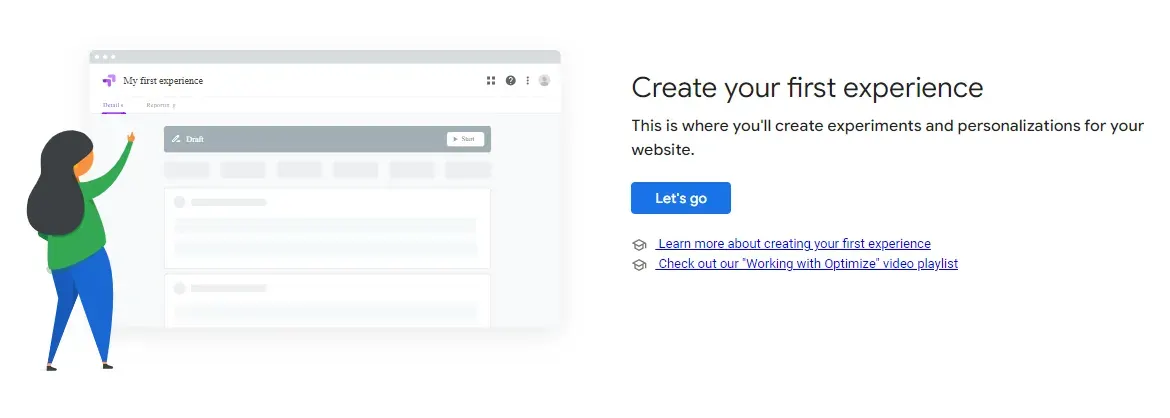
Click Create experience. If this is your first experience, click the Let's Go button to get started.

4. Name your experience.
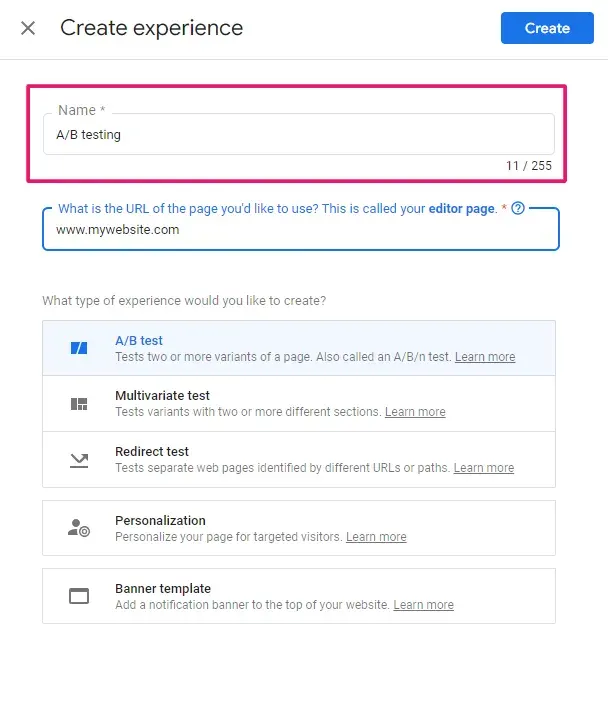
Give your experience a name so it is easy to find and refer back to. You can call it anything you like, up to 255 characters.
5. Enter the URL you’d like to test.
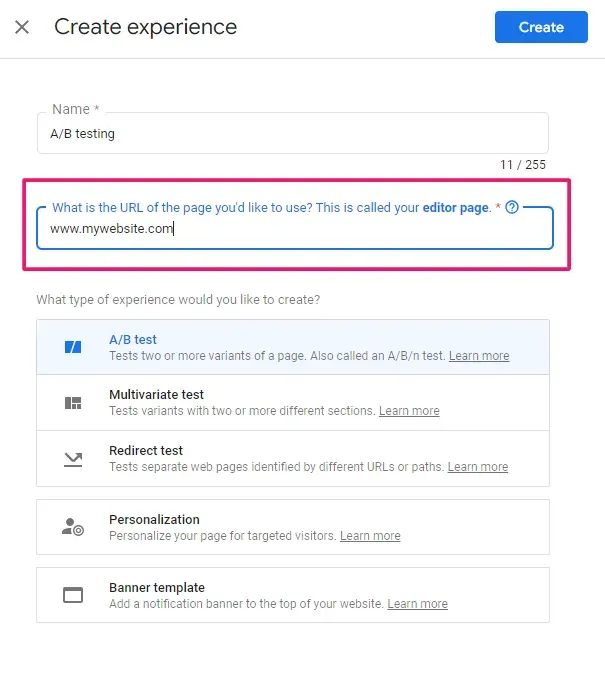
Enter the URL of the page you are looking to test.
6. Click A/B Test > Create.
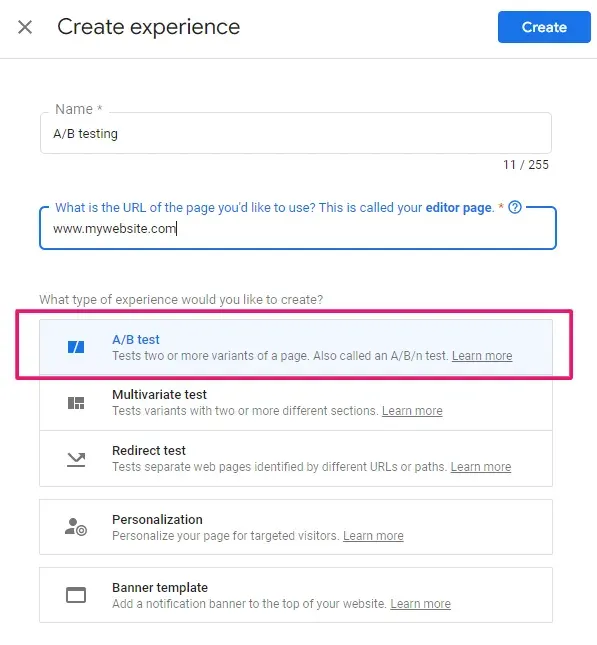
Click A/B Test, and then, if the details are correct, press Create. Following this, you can spend time analyzing your results.
How to analyze results
Once you have run your tests, you will want to analyze your results. You can do this using Google Analytics reports, which provide detailed data on your experiments, or Google Optimize reports, which detail all the tests, including dates and results.
How can I perform an A/B test using Google Analytics?
Since Google retired Optimize in 2023 due to a lack of modern experimentation features, performing A/B testing in Google Analytics 4 (GA4) now requires integrating with a third-party testing tool. Using publicly available Google Analytics APIs, you can integrate any A/B testing tool of your choice with GA4, including Wingify (formerly AB Tasty) and Optimizely. In this setup, you can run your A/B testing experiments using the third-party tool and use GA4 to analyze the results and get actionable intelligence.

Best practices for Google A/B testing
You’ll find some common mistakes that you can make sure you avoid by following some best practices when it comes to A/B testing:
Make sure your target sample is a good size.
Keep it simple. Test a small number of things at a time.
Make sure you base your hypothesis on research and that it’s worth proving.
If your test fails the first time, try again.
Don’t disregard results if they don’t match your predictions.
Find the tools you need to keep moving forward
Explore career paths, assess your skills, and get resume guidance while browsing our Career Resources Hub. Or if you want to learn more about digital marketing and related tools like Google Analytics, check out these free resources:
Watch on YouTube: Digital Marketing Basics: SEO, PPC, Social
Follow a tutorial: How to Connect Analytics to Google Ads
Learn key concepts: Digital Marketing Terms Every Marketer Should Know
Whether you want to develop a new skill, get comfortable with an in-demand technology, or advance your abilities, keep growing with a Coursera Plus subscription. You’ll get access to over 10,000 flexible courses.



Keep reading
- January 24, 2026
- February 21, 2026
- October 22, 2025
- February 12, 2026
- June 12, 2026
- June 25, 2026
Coursera Staff
Editorial Team
Coursera’s editorial team is comprised of highly experienced professional editors, writers, and fact...
This content has been made available for informational purposes only. Learners are advised to conduct additional research to ensure that courses and other credentials pursued meet their personal, professional, and financial goals.